Load Takedown From a BIM Model: IFC Import and Export
25 October 2026 · 4 min read
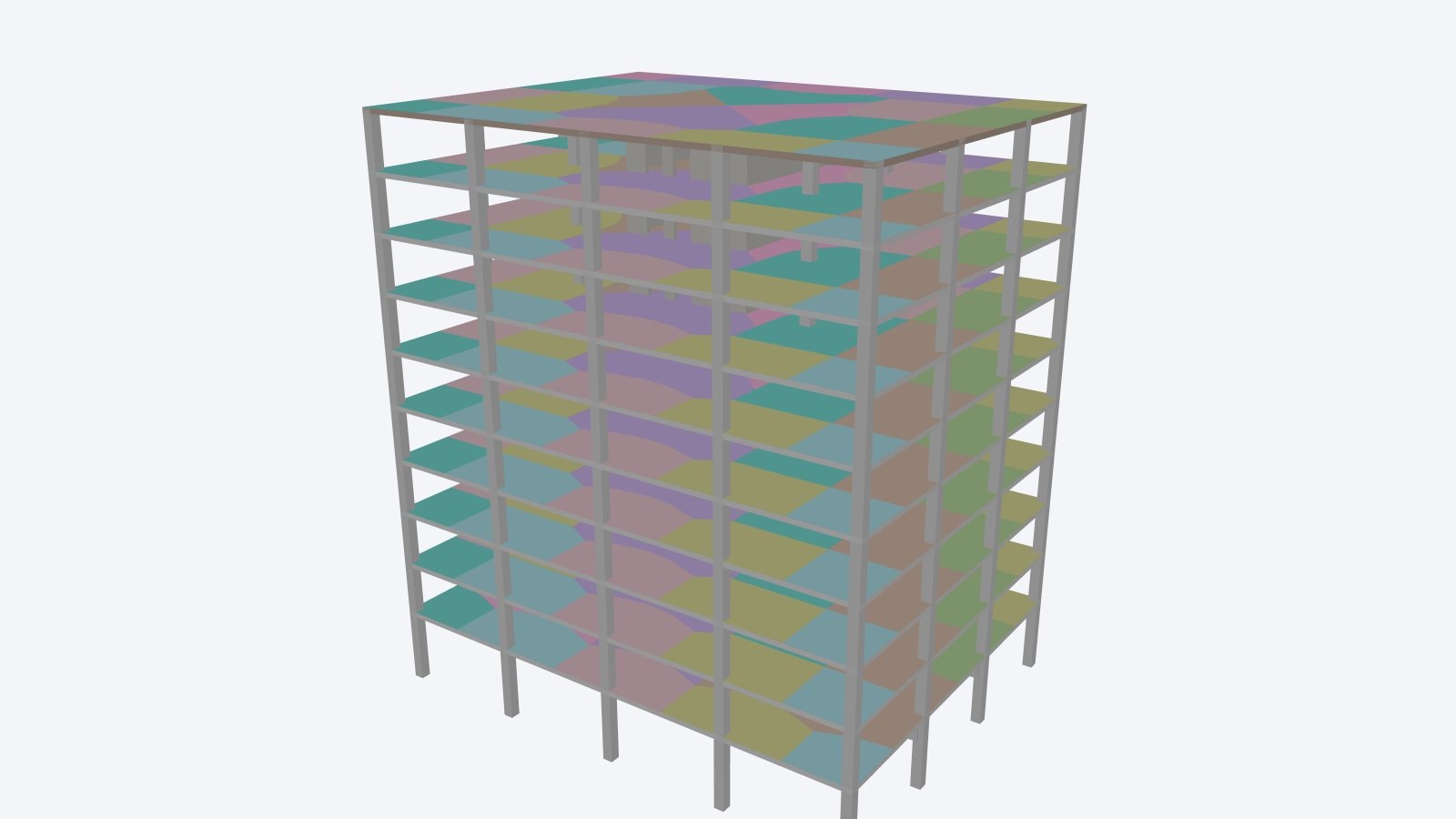
Bring a Revit, Tekla or ArchiCAD model into LoadTakedown as IFC, run the gravity load takedown, and send the loads, reactions and tributary areas back to the BIM model.
LoadTakedown reads and writes IFC, the open BIM exchange format. You can start a load takedown from the architect's Revit, Tekla or ArchiCAD model instead of tracing the drawings, and you can send the finished takedown back to the BIM model with the loads, reactions and tributary areas attached. Import is free. IFC export is part of Pro.
Why start a load takedown from the BIM model?
On most projects the architect's model already holds the walls, floors and columns at their real sizes and heights. Tracing them again from PDF plans repeats work that has been done once, and it is where small errors creep in: a wall drawn on the wrong line, a storey height read off the wrong section.
Starting from the model means the geometry in the takedown is the geometry in the design. The engineer's time goes on the structural decisions instead: which walls are load-bearing, how the floors span, and what the loads are.
What comes in from an IFC file?
LoadTakedown reads IFC2x3 and IFC4 files from any authoring tool. It reads the 3D shapes rather than each tool's own way of describing them, so a file from Revit, Tekla, ArchiCAD or another BIM tool comes in the same way.
| In the IFC file | In LoadTakedown |
|---|---|
| Building storeys | One level per storey, at its elevation, with a 1:100 plan sheet |
| Walls | Walls at their modelled thickness, base and top, with sloping and gable tops kept |
| Doors and windows | Openings in the wall, at their size and height |
| Slabs and flat roofs | Floors with their outline and depth, spanning two ways until you set the span |
| Pitched roof slabs | Floors at eaves level, ready to set the pitch and shape |
| Columns and beams | Steel or concrete members, with self-weight from the modelled section |
The import lands as one step, so a single undo takes it out again.
What does the import leave to the engineer?
An architectural model describes what the building looks like, not how it carries load. The import takes the model as it is and does not repair it. The notes after each import list what needs a decision:
- Load-bearing walls. IFC has a load-bearing flag on each wall, but architectural models rarely set it. If no wall is marked, every wall comes in as load-bearing, and you switch off the ones that are not.
- Connections. A beam that stops short of its column in the model has no support in the takedown. Beam ends are moved onto the face of the column, wall or beam they stop at, within a short reach. Anything further away is reported.
- Elements omitted. Ground-bearing slabs, piles and pads, rafters and bracing, stairs, railings, curtain walls and finishes are omitted. The notes list each type and how many.
- Floor spans. Floors come in spanning two ways. Set one-way spans and their direction where the structure needs them.
This is the same judgement as tracing from drawings. The difference is that the geometry is already there.
Import an IFC model into an empty project and see the load on every wall and column.
Open LoadTakedownWhat goes back out to the BIM model?
With Pro, File > Export IFC Model writes a standard IFC4 file of the whole takedown, for Revit, Tekla, Navisworks and other BIM tools.
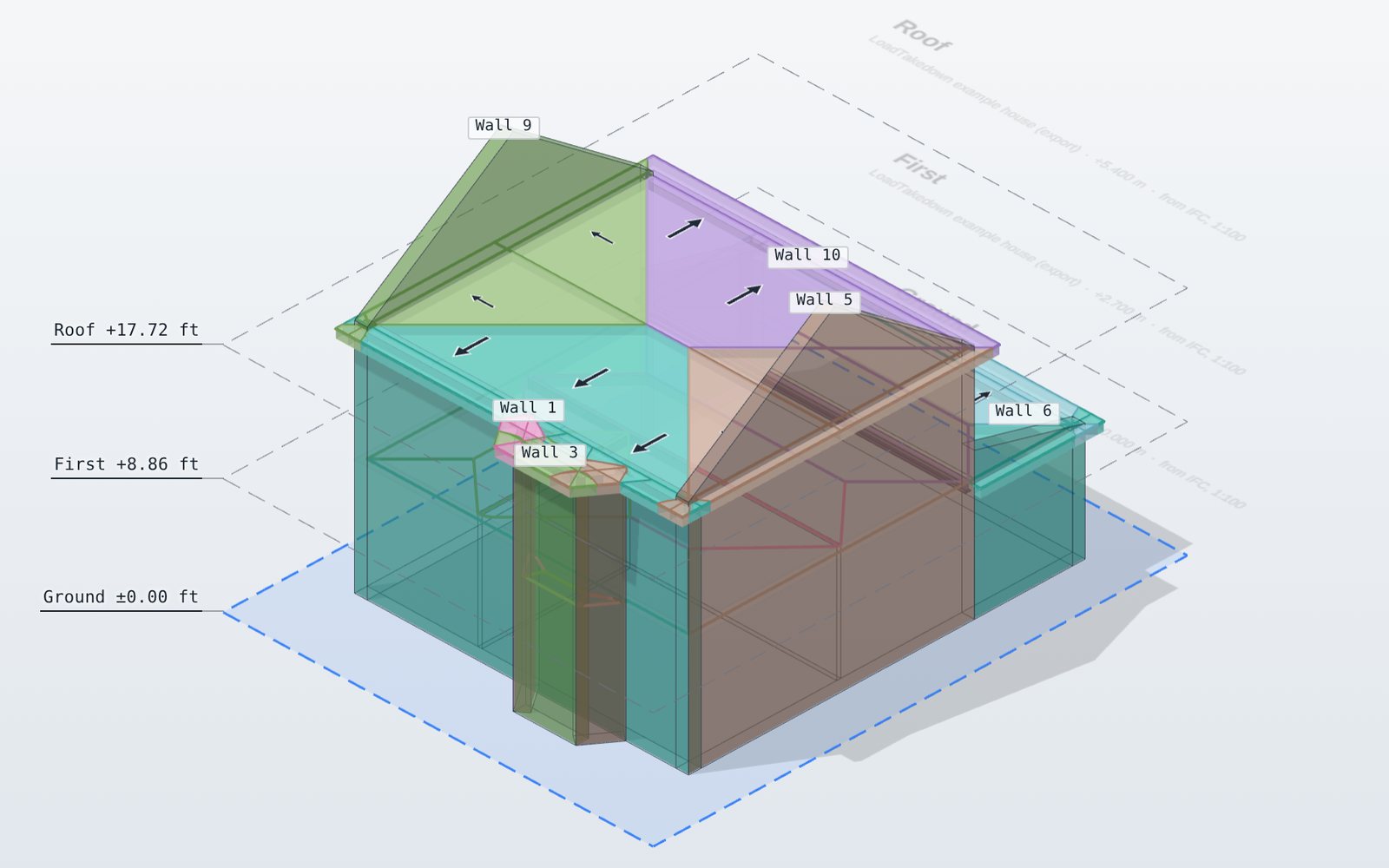
- Every element at its size. Walls leaf by leaf with their openings, floors, roofs, beams and columns, on their storeys.
- Results on each element. A LoadTakedown property set holds each wall's line load at its base, each column's base load and each beam's end reactions, unfactored and factored, matching the calculation report.
- Tributary areas. Each floor's areas are drawn as thin sheets in the colour of the wall, beam or column they load, grouped so they can be shown or hidden together.
- Applied loads. Point, line and area loads are drawn where they act.
The export is a snapshot. It does not stay linked to the LoadTakedown project, so export again after a change.
How does this fit into a BIM workflow?
A typical project looks like this:
- The architect issues the model as IFC at a design stage.
- You import it into an empty LoadTakedown project, set which walls carry load and how the floors span, and add the loads.
- You check the takedown on screen and issue the calculation report.
- You export the takedown as IFC and send it to the design team, where the loads and tributary areas sit alongside the architect's model for coordination.
When the architecture changes, import the new model into a new project. Each exchange is one-way and done once, which keeps it clear which model the numbers belong to.
Where is IFC not the right route?
IFC carries geometry well, but it is only as good as the model behind it. A model built for visualisation, with walls modelled as one thick block or floors that pass through walls, gives a takedown that needs as much tidying as tracing would. For a small house or extension with only PDF drawings, tracing over the plans is still quicker.
LoadTakedown is a gravity load takedown, not a frame analysis. For lateral stability, moment frames or transfer structures, use an analysis package, and use the takedown as an independent check on its gravity reactions. See load takedown software compared for where each tool fits.
Default values in the app are typical; check them, and the results, with a competent engineer before use in design.